
The hidden coordination tax of manually chasing blockers, messages, and tickets after every standup.
TL;DR
The Problem: 67% of engineering teams report that meetings prevent task completion, and action items from standups get lost within 24 hours, leaving managers manually chasing blockers across Slack, email, and Jira.
The Solution: An AI meeting assistant that captures blockers during standup, follows up automatically via daily check-ins, creates threads with relevant team members to resolve them, and helps keep Jira updated.
The Outcome: Blockers get flagged immediately, resolution happens faster, and your team stops treating standups as "status theater."
Who This Is For: Engineering Managers, Tech Leads, and Delivery Managers drowning in meeting follow-ups and coordination work.
When to Use This: If blockers mentioned in standup still sit unresolved 48 hours later, or if your Jira board never reflects what was actually discussed in meetings.
Tuesday, 10:00 AM: The Standup That Changed Nothing
Your team's daily standup just wrapped. Twelve minutes. Everyone gave updates. Dave mentioned he's blocked on the Payments API. Sarah said she's waiting on infrastructure access. The meeting ends, but the real work of resolving blockers hasn't even started yet.
You make mental notes: Chase Dave's blocker. Find out who owns Payments API. Check if Sarah's access ticket is filed. Follow up this afternoon.
11:30 AM: You're in back-to-back meetings. The mental notes fade.
Wednesday, 9:00 AM: The next standup. Dave says: "Still blocked on the Payments API. Haven't heard back."
You cringe internally. You forgot to chase it. Now it's been 24 hours. The standup identified the blocker, but nothing happened.
Research suggests that a large portion of meeting content is forgotten within an hour, and engineering leaders feel their days are fragmented by constant context switching. On Reddit, engineering managers repeatedly complain that standups surface blockers but leave them doing all the follow-up.
If your standup identifies blockers but they sit unresolved for 48+ hours, you don't have a communication problem. You have an execution problem.
The Three-Part Coordination Tax
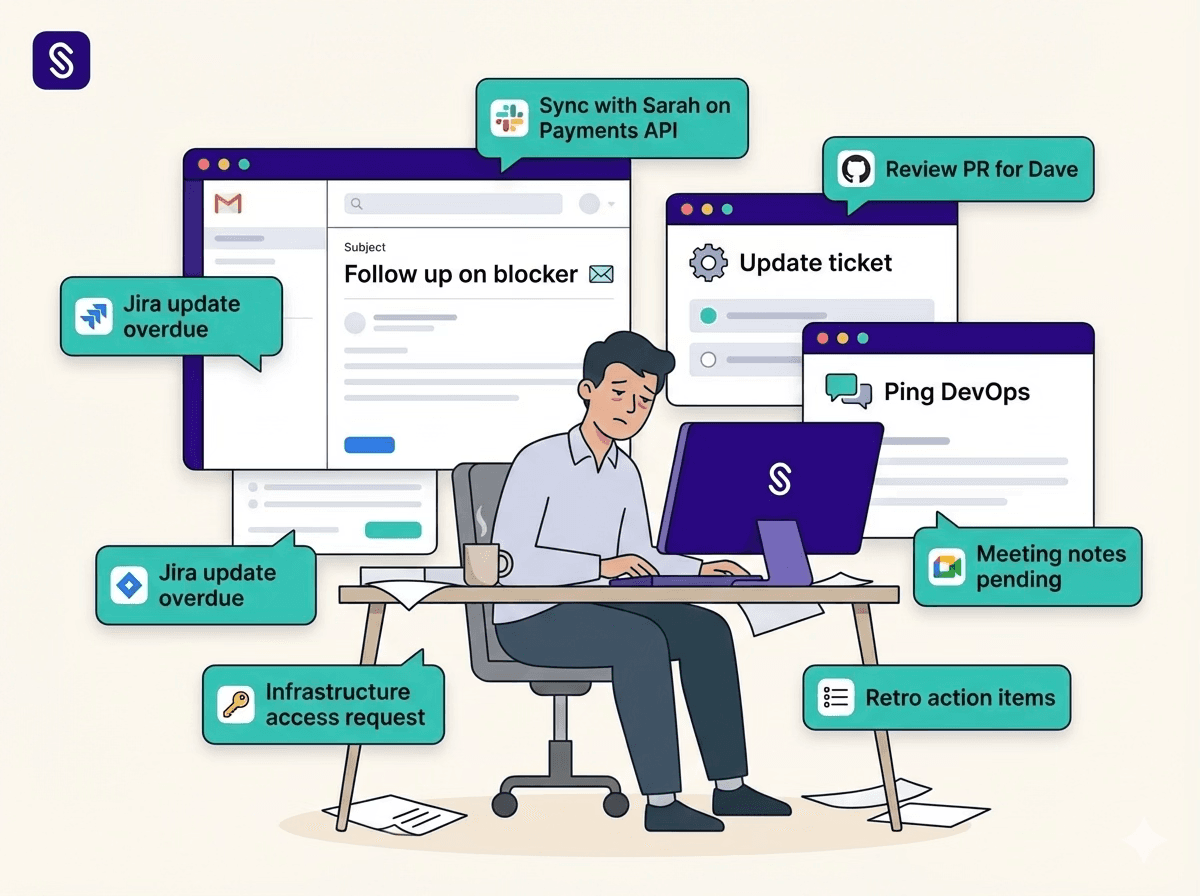
The real work doesn't happen during standup. It happens after.
1. The Memory Tax
You must remember what was said, who was blocked, and who can help. Even with async standup tools, synchronous meetings still rely on human memory, which fades fast.
2. The Routing Tax
You spend 2–3 hours per day manually connecting people: Ping Sarah about Dave's API blocker. Check Jira to see if the infrastructure ticket exists. Realize no one filed it. Create the ticket yourself. Ping the DevOps channel. Wait for responses. Route the answer back to Dave.
Engineering managers already spend significantly more time in meetings than individual contributors, leaving limited focus time for deep work.
3. The Documentation Tax
After solving the blocker via Slack, you must: Update the Jira ticket. Add comments with the solution. Link the Slack thread. Notify the PM.
If you skip this step, the next developer hits the same blocker, and the cycle repeats.
The standup meeting is not the bottleneck. The invisible follow-up work is.
Ready to eliminate the coordination tax? See how Sasha supports standup blocker automation by capturing blockers, following up automatically, and helping you resolve them without manual routing.
What Engineering Teams Are Actually Asking For
Across GitHub, Reddit, LinkedIn, and other communities, engineering teams keep saying the same things:
- "Standup should identify blockers, not just report them." - "Action items get lost immediately after meetings." - "We need async follow-ups that don't rely on manager memory." - "Jira never reflects what we discussed in meetings." - "Someone needs to own blocker follow-up, and it can't always be the manager."
Teams don't need more ceremonies. They need an automated system that actually carries work forward after the meeting ends.
The Fix: Meeting Intelligence + Automated Follow-Ups
Here's how Scrummer.ai automates blocker resolution by connecting meetings, chat platforms, and work-tracking tools.
How It Works: The Full Workflow
Step 1: Sasha Joins Your Standup Meeting
Scrummer's agent, Sasha, joins the standup on your connected calendar platform (e.g., Google Calendar + Meet, Outlook + Teams).
In the meeting, Dave says: "I'm blocked on the Payments API. Getting 401 errors when I try to authenticate."
Sasha: Captures context and notes across attendees. Records that a blocker was mentioned. Can link this context to Jira tickets when you ask her to create or update issues from the meeting.
After the meeting, Sasha posts a meeting summary based on your preferences: Email: summary to attendees. Slack/Teams: summary into a channel or DM. Retro-specific: retro summary email + summary in the linked Slack channel.
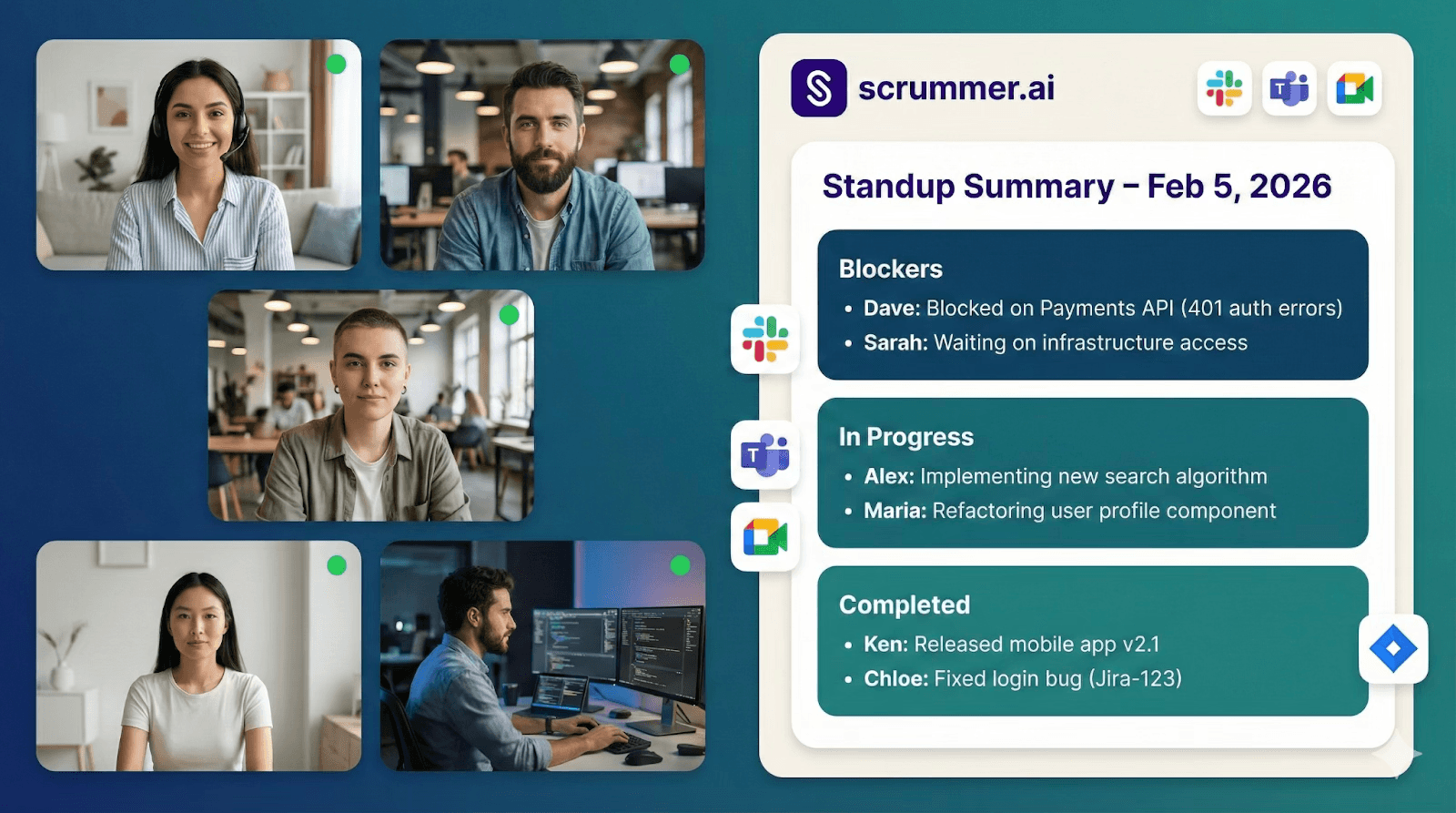
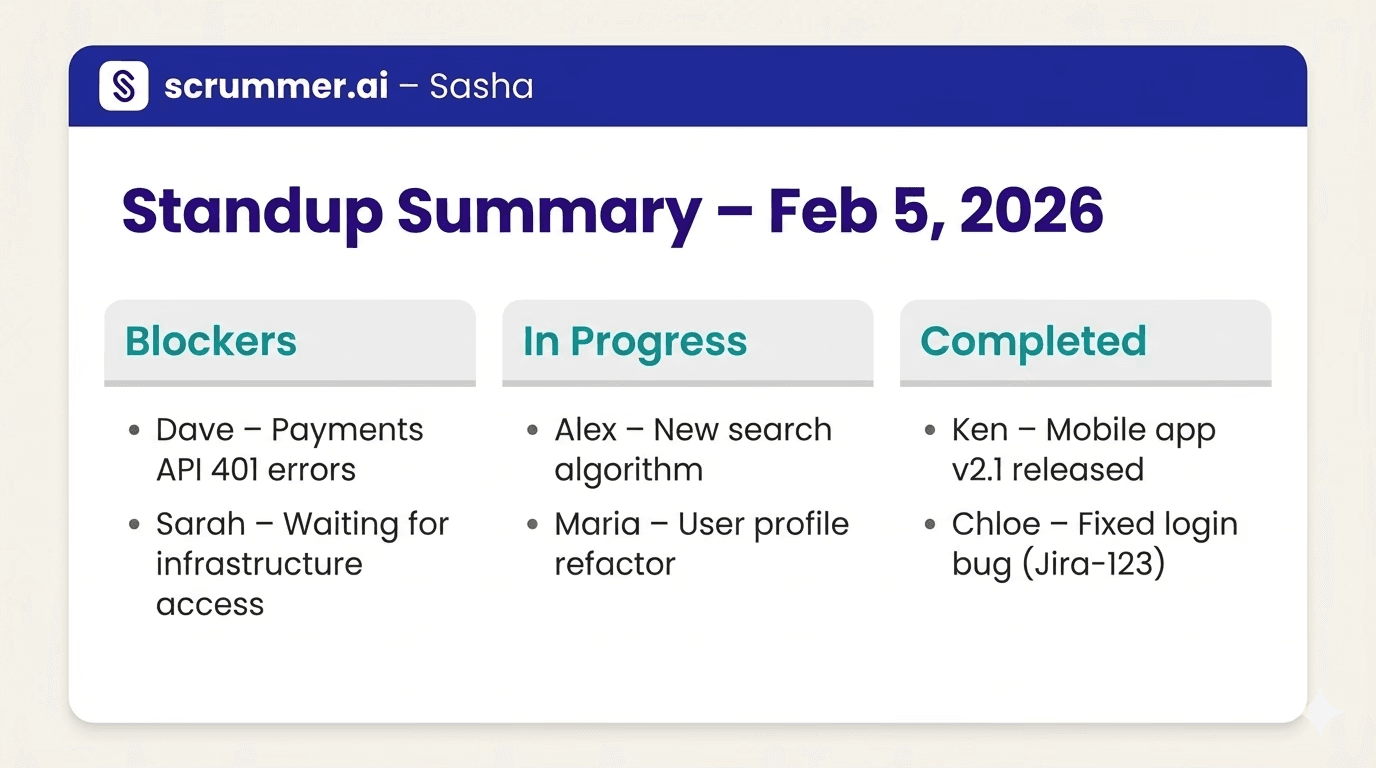
Example in Slack/Teams: Standup Summary – Feb 5, 2026. Blockers: Dave: Blocked on Payments API (401 auth errors). Sarah: Waiting on infrastructure access. In Progress / Completed: [Relevant items]
You didn't take notes. The automation starts with Sasha capturing the right details for you.
Step 2: Daily Check-In Follows Up Automatically
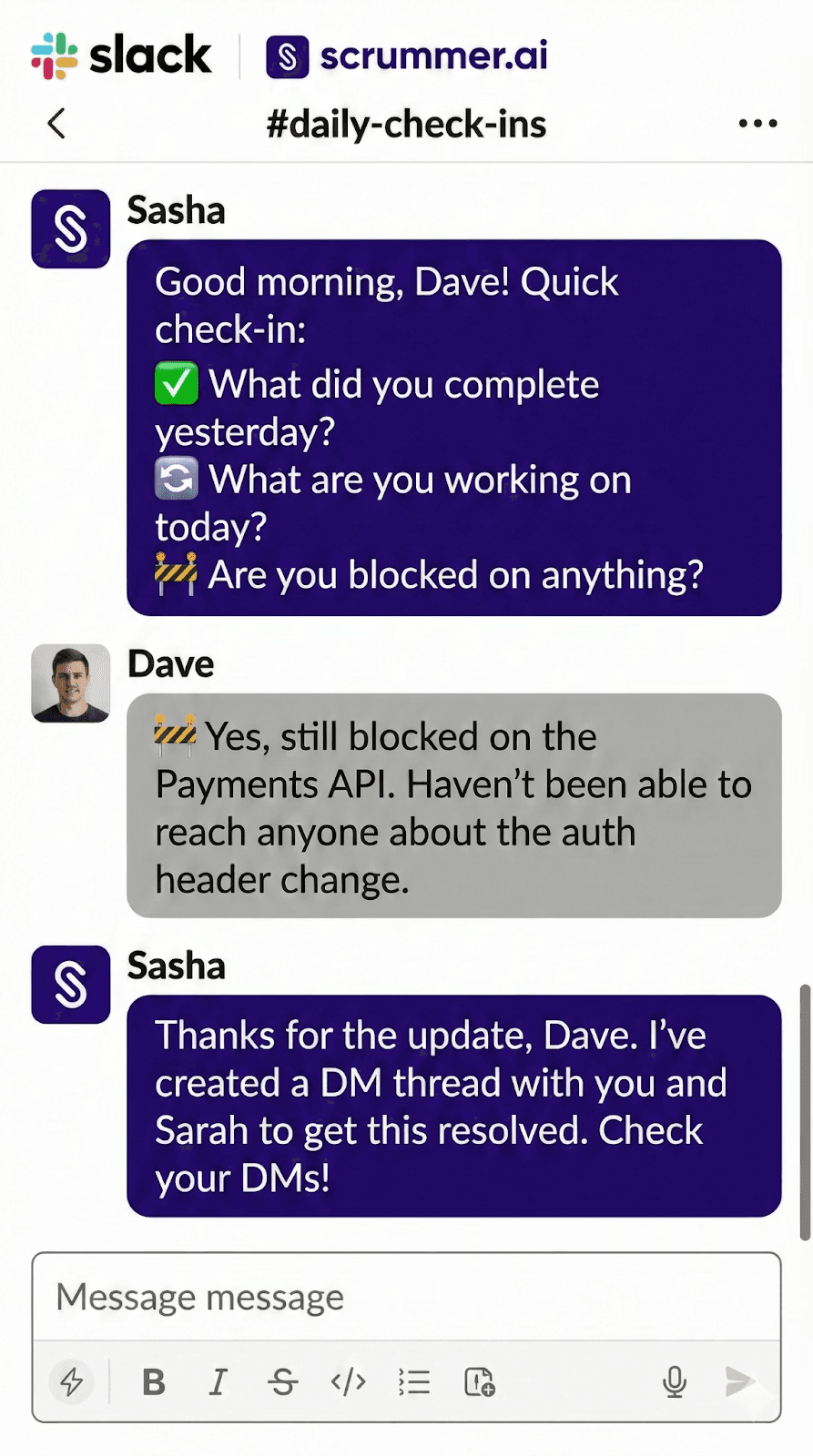
The next morning, Sasha sends Dave a daily check-in via DM in Slack or Teams: "Good morning, Dave! Quick check-in: ✅ What did you complete yesterday? 🔄 What are you working on today? 🚧 Are you blocked on anything?"
This is where the process moves from "we heard it once" to "we follow up until it's resolved."
Dave replies: "🚧 Yes, still blocked. Haven't been able to reach anyone about the auth header change."
Sasha now knows there is an active blocker that must be addressed.
You configure: Time zone. Check-in time (e.g., 9:00 AM). Follow-up time (e.g., 2:00 PM reminder).
Step 3: Sasha Creates a Resolution Thread
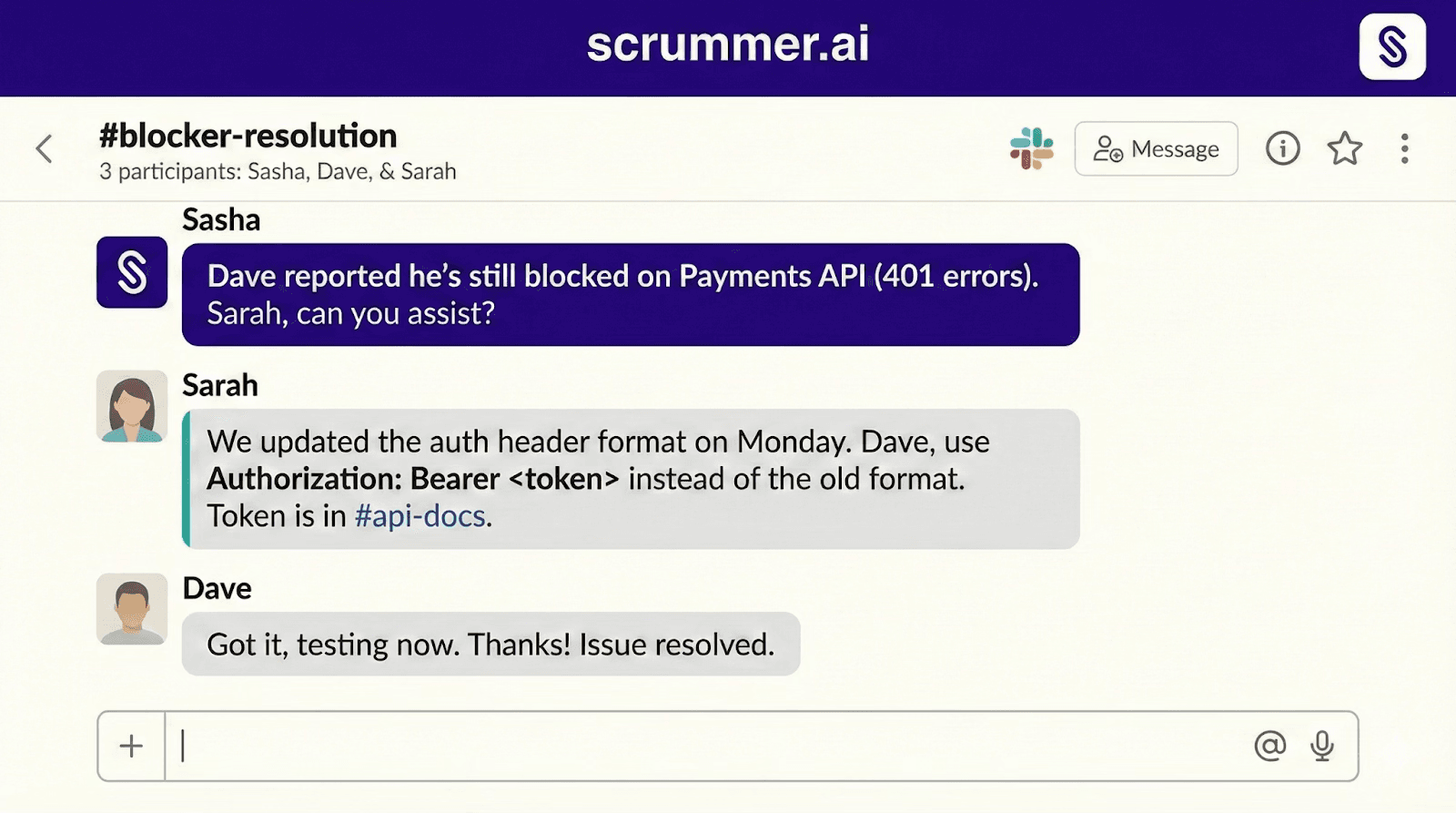
When a blocker is reported during the daily check-in, Sasha automatically creates a DM thread including both relevant participants.
For example: Sasha (DM with Dave and Sarah): "Dave reported he's still blocked on Payments API (401 errors). Sarah, can you assist?"
Sarah replies: "We updated the auth header format on Monday. Dave, use Authorization: Bearer <token> instead of the old format. Token is in #api-docs."
Dave: "Got it, testing now. Thanks!"
You didn't need to see any of this in real time. This is the agent doing the routing for you, using Sasha's built-in workflow.
Step 4: Keep Jira Updated (Without Manual Clicking)
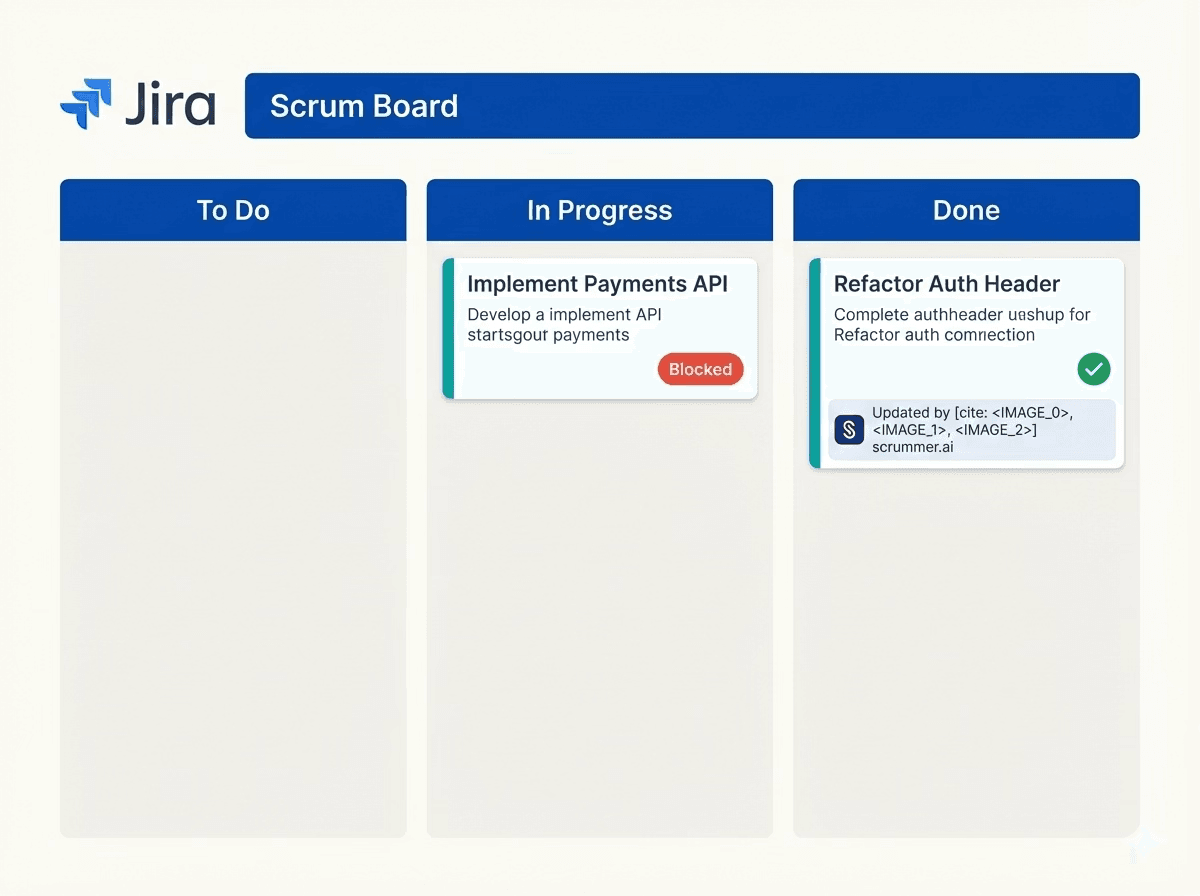
Once the blocker is resolved, you or Dave can ask Sasha to update Jira directly from Slack or Teams: You (or Dave): "@Sasha add a comment to PAY-402: Auth header format updated. New format uses Bearer token. See #api-docs."
Sasha can: Add internal or public comments. Update or transition issue status. Assign users. Create new Jira tasks.
Now, the standup blocker resolution isn't just in Slack, it's in Jira, where the team and PMs expect to see reality.
What This Looks Like: Before vs After
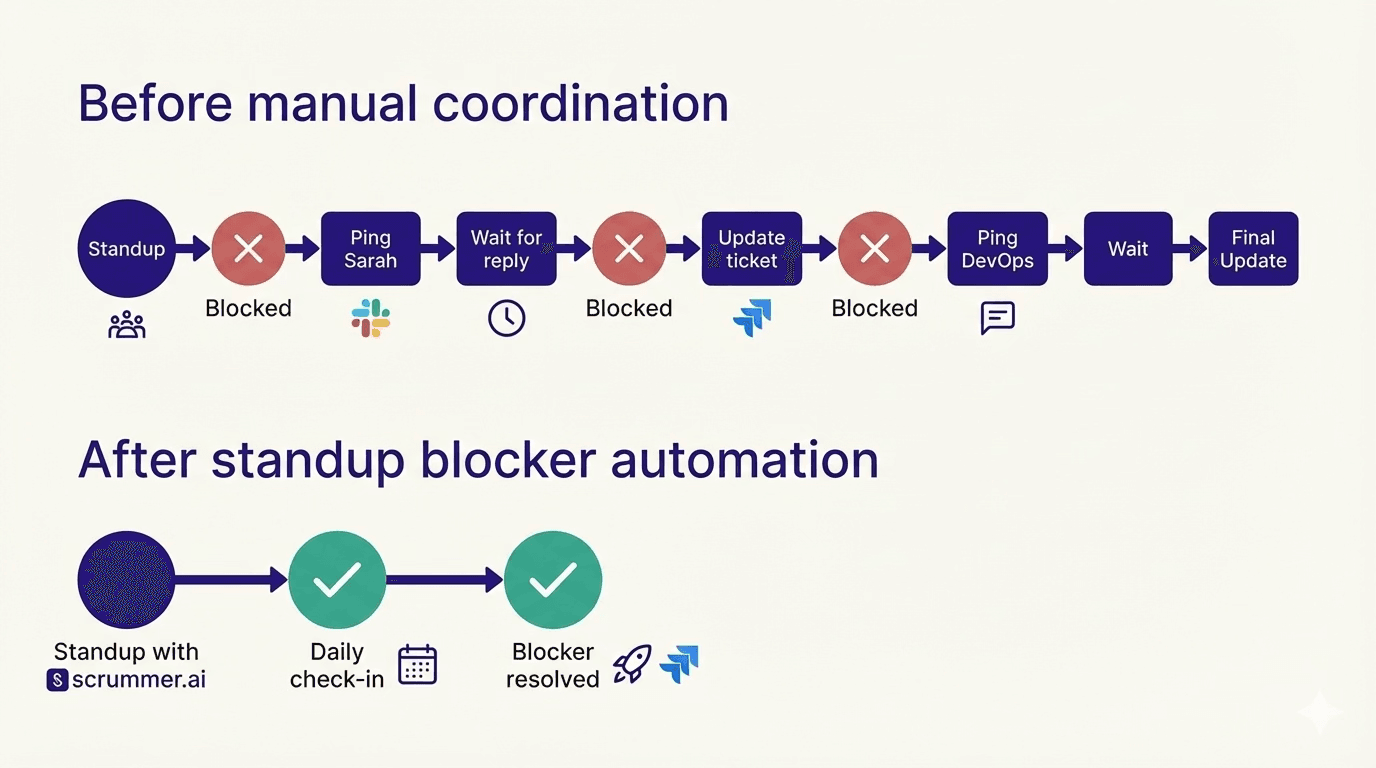
Before (Manual Coordination) Tue 10:00 AM Dave mentions blocker in standup. Tue 11:00 AM You forget to follow up (more meetings). Wed 9:00 AM Dave: "Still blocked" in next standup. Wed 10:00 AM You ping Sarah in Slack. Wed 2:00 PM Sarah replies with fix. Wed 3:00 PM You relay answer to Dave. Wed 4:00 PM Dave unblocked.
Result: ~30 hours from problem to resolution, multiple context switches, Jira updated only if you remember.
After (With Automated Resolution) Tue 10:00 AM Dave mentions blocker; Sasha captures it. Tue 10:15 AM Sasha posts standup summary to #engineering. Wed 9:00 AM Sasha sends daily check-in to Dave. Wed 9:05 AM Dave reports he's still blocked. Wed 9:06 AM Sasha creates DM with Dave + Sarah. Wed 9:20 AM Sarah shares fix. Wed 9:30 AM Dave unblocked; you ask Sasha to comment on Jira.
Result: Same blocker resolved much faster, fewer interruptions, Jira updated via Sasha rather than manual UI clicks.
Want to save this kind of time on every blocker? Use Sasha for standup blocker automation in your next sprint.
Role-Based Value: What Changes?
For the Engineering Manager
You stop being the router for blockers and updates. Before: You chase people after standup. You translate Slack threads into Jira. You're the fallback memory for "who said what." After: Sasha captures blockers during meetings. Sasha follows up via daily check-ins. Sasha creates DM threads when blockers are reported. You ask Sasha to update Jira instead of doing it manually. Automating this workflow means your time goes back to coaching, architecture, and strategy, not ticket babysitting.
For the Developer
They get support without constant manager pings. Before: They mention a blocker once. They're not sure if anyone remembers. They hesitate to "nag" in Slack. After: Sasha explicitly asks them if they are blocked. If yes, Sasha starts a thread with relevant people to help. They can ask Sasha about past meeting decisions and tasks. Developers get an automated helper that cares about their blockers more consistently than a busy manager can.
For the Product Manager
Before: They ask "Why is this ticket delayed?" You chase context across Slack and meetings. Jira rarely matches reality. After: They can see blockers and decisions in meeting summaries. They can receive Sprint and Kanban digests by email. They can ask Sasha about meeting details and progress. It's not magic, but it's a clear step toward standup blocker automation and more honest Jira hygiene.
Common Objections
"Won't having an AI in meetings feel invasive?"
Sasha only joins meetings you enable and only in workspaces you connect. She captures context and generates summaries you would otherwise write yourself, she's not listening to private calls or DMs you don't invite her to. Teams using AI note-taking and standup tools consistently report better follow-through precisely because important details are no longer lost.
"What if people ignore the daily check-ins?"
You can configure time zone, check-in time, and follow-up time so the prompts arrive when people are most likely to respond. The check-in format is short and predictable, similar to async standup tools many teams already like. The goal of automation is not to spam people, but to give them one consistent place to say "I'm stuck" so the team can respond.
"Can't I just use a generic transcription tool?"
Transcription tools give you a text record. Sasha: Joins meetings and captures notes. Sends summaries into Slack/Teams and email. Runs daily check-ins for completed/in-progress/blocked work. Creates DM threads when blockers are reported. Can create or update Jira tickets when you ask. That's closer to true resolution than just "meeting transcription."
"Does this work with async standup tools we already use?"
Yes. Many teams use async tools for status and Scrummer for: Capturing live discussion in standups. Turning spoken blockers into written follow-ups. Coordinating resolution in chat. Helping keep Jira updated from conversations. You don't have to replace existing tools to add Sasha as your automation layer.
Get Started in 15 Minutes
Step 1: Connect Calendar & Meetings Connect Google Calendar or Outlook so Sasha can see your upcoming meetings and join those you choose.
Step 2: Configure Meeting Summaries For standups, retros, and other recurring meetings, choose where summaries should go (channels or DMs).
Step 3: Enable Daily Check-Ins Turn on daily check-ins, and set time zone, check-in time, and follow-up time for your team.
Step 4: Connect Slack/Teams and Jira Connect Slack or Microsoft Teams and Jira so Sasha can send summaries into chat, run check-ins, create DM threads, and perform Jira actions when asked.
The best way to see the value of standup blocker automation is to let Sasha run one sprint with your team.
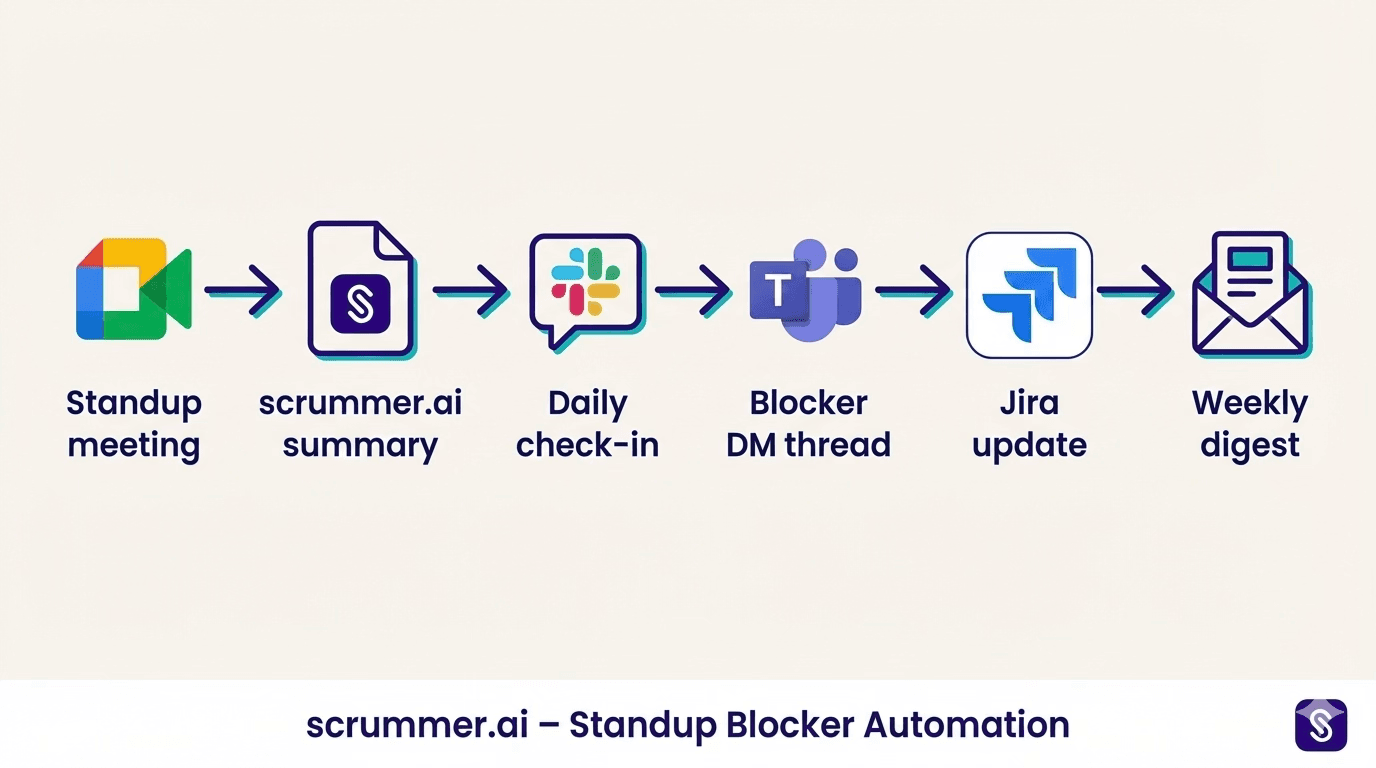
Beyond Blockers: The Full Intelligence Cycle
Scrummer isn't only about standup blocker automation. It also: Sends weekly meeting digests by email. Sends retro summaries by email and into the linked Slack channel. Lets you ask Sasha to create Jira tickets from meeting context. Provides Sprint and Kanban digests for Jira projects. It becomes a connective tissue between meetings, chat, and work tracking, without changing how you already run your tools.
FAQ: Automated Blocker Resolution with Sasha
How does Sasha know who to include in a blocker DM thread?
When a blocker is reported in the daily check-in, Sasha "creates a DM thread including both relevant participants." The exact mechanism is based on your team's setup and workspace context, but the key benefit is that you don't have to manually start the thread every time.
Can I ask Sasha about previous meetings or blockers?
Yes. In Slack or Teams, you can ask Sasha about details from previous meetings, a team member's progress, or tasks that need discussion in upcoming meetings.
Can I control which meetings Sasha joins?
Yes. You can enable or disable Sasha for any meeting, and those settings apply automatically to recurring meetings.
Does this work alongside async standups?
Yes. Scrummer can work alongside async standup tools by handling the meeting intelligence, daily follow-ups, and Jira actions that many async-only tools don't provide.
Conclusion
Standups are not the problem. The gap is everything that happens, or doesn't, after someone says "I'm blocked."
With Sasha: Blockers are captured in meetings. Daily check-ins surface what's still blocked. DM threads start automatically when blockers are reported. Jira actions can be driven from chat instead of UI clicks.
That's automated blocker resolution in practice: removing the manual routing, reminders, and admin load that keep you from doing the work only you can do.
Let Sasha handle the follow-ups. You handle the vision.
Ready to Stop Chasing Standup Blockers Manually? See how Scrummer.ai uses standup blocker automation to connect your meetings, chat, and Jira, without you routing every message by hand. Speak to our founder now.